Run 2 Unblocked — Play Free Online
More Geometry Dash & Runners games




Run 2 unblocked: play Run 2 online free right here in your browser — no download, no sign-up, works on a school Chromebook.
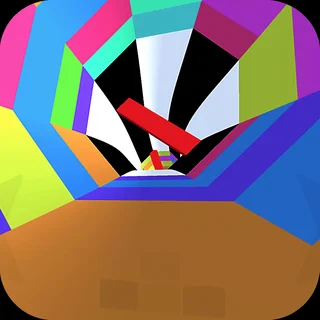
Run 2 is a classic three-dimensional platform runner that challenges your sense of perspective and spatial timing. Suspended high inside futuristic tunnels floating through deep space, you guide an intrepid runner across disconnected platforms, narrow walkways, and floating tiles. The signature mechanic is dynamic gravity: steering toward any adjacent side wall immediately rotates the entire corridor ninety degrees, turning vertical barriers into walkable ground and revealing alternate paths through each course.
For players who enjoy the strict precision and rapid rhythm of Boxel Rebound, Run 2 delivers a familiar thrill with an extra dimension of movement. Every stage functions as a fast-paced obstacle puzzle where hesitation means tumbling into the void. Because each run restarts instantly after a fall, you can experiment with routes, hone your muscle memory, and steadily conquer increasingly intricate orbital structures.
How to play
Navigating the space tunnels requires simple controls and sharp reaction times:
- Move left and right: Press the Left and Right Arrow keys, or the A and D keys, to steer across platforms. Moving into a side wall rotates the tunnel and reorients gravity to that surface.
- Jump: Tap the Spacebar or Up Arrow (or W) to hop over gaps, missing floor tiles, and deep chasms. Holding the key briefly extends your airtime for wider leaps.
- Character selection: You can tackle levels as either the Runner or the Skater. The Runner offers balanced speed and high vertical leaps for tight platforming, while the Skater moves much faster and glides across wide gaps with heavy forward momentum.
- Pause and menu: Press P to pause your game, check your current stage, or return to level selection.
Tips for clearing difficult levels
Conquering the later stages requires forward planning and deliberate movement:
- Look ahead at wall rotations: Do not wait until your current platform ends to change planes. Spotting solid wall sections early allows you to transition smoothly to a side surface before the floor drops out.
- Regulate your jump duration: Light taps work best for landing on short, isolated stepping stones, while long presses give you the arc needed to clear wide gaps.
- Switch characters when stuck: If a stage feels too chaotic with the Skater's rapid speed, switch to the Runner for precise footwork. Conversely, use the Skater when a level features expansive gaps that demand maximum momentum.
- Keep moving on fragile tiles: Certain tiles begin to crumble the moment you touch them. Keep a steady forward pace and avoid hesitating on temporary surfaces.
Similar games on Boxel Rebound
If you like the agility and obstacle navigation in Run 2, try other platforming challenges across Boxel Rebound. Big Tower Tiny Square 2 and Big Neon Tower vs Tiny Square feature towering vertical gauntlets packed with precise jumps and laser hazards. For players who love gravity-flipping mechanics, Sides of Gravity and Two Button Bounce offer unique puzzles, while Level Devil tests your reflexes with sudden traps and deceptive stage layouts.
Questions about Run 2
Is Run 2 unblocked at school?
Run 2 runs in an ordinary browser tab from boxelrebound.org, with nothing to download or install, so it plays on most school Chromebooks and work computers. If a network filter blocks the site, only that network's administrator can change it.
How do you rotate gravity in Run 2?
Run directly onto any side wall using the Left or Right Arrow keys (or A and D). The entire 3D tunnel will shift ninety degrees, turning that wall into your new floor.
What is the difference between the Runner and the Skater?
The Runner moves at a moderate pace with high, controlled vertical jumps for precision platforming. The Skater travels much faster and covers long horizontal distances, but requires quicker reaction times.
Do I need to install plugins to play Run 2?
No. The game runs directly in any modern desktop or laptop web browser using standard web technology, with no downloads, accounts, or extra extensions needed.
What happens if you fall off a platform in Run 2?
Falling into the open vacuum of space immediately restarts your attempt from the beginning of that specific stage, allowing you to quickly retry and refine your route.