Crazy Cars Unblocked — Play Free Online
More Geometry Dash & Runners games


Crazy Cars unblocked: play Crazy Cars online free right here in your browser — no download, no sign-up, works on a school Chromebook.
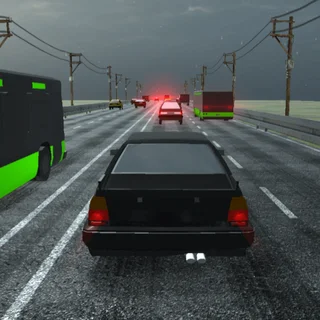
Crazy Cars drops you straight into a colorful 3D stunt playground packed with steep ramps, looping tracks, springboards, and giant obstacle courses. Rather than locking you into strict lap counters or rigid race paths, the game treats its entire map as a high-speed sandbox where you can test vehicle physics, launch off cliffside jumps, and hunt down hidden collectibles at your own pace.
For players visiting Boxel Rebound who enjoy precision timing and obstacle-dense level layouts, Crazy Cars offers a lively 3D palate cleanser. The arcade physics give every vehicle plenty of bounce and momentum, turning simple ramp runs into experiments in mid-air control and speed management.
How to play
Driving in Crazy Cars is straightforward whether you tackle the park alone or share the keyboard with a friend in two-player split-screen mode:
- Steering: Use WASD or the arrow keys to accelerate, steer, and reverse. In two-player mode, Player 1 drives with WASD while Player 2 uses the arrow keys.
- Handbrake: Press Space to brake quickly or slide through tight corners.
- Reset: Press R to immediately flip your vehicle upright or respawn back on solid ground after an awkward landing.
As you explore the map, look for glowing stars and wrenches scattered along obstacle trails, rooftop ramps, and hidden platforms. Gathering these collectibles earns currency to unlock new cars in the garage, ranging from nimble sports models to heavy trucks with distinct handling characteristics.
Tips for high-speed stunts
- Line up your ramp approaches: Hitting a launch ramp at an angle often sends your car spinning sideways. Straighten out your wheels right before leaving the lip to maintain steady airtime.
- Use the reset key freely: If your car gets wedged between obstacles or lands upside down on a ramp support, hitting R gets you rolling again without waiting for physics to settle.
- Hunt stars in tricky spots: The most valuable collectibles are usually placed at the very peak of steep hills, loop-de-loops, and high-altitude jumps that require building maximum speed beforehand.
- Try two-player split-screen: Sharing the keyboard for split-screen races turns the open obstacle courses into chaotic impromptu drag races with a friend.
Similar games on Boxel Rebound
If you like conquering obstacle courses and testing your reflexes, Boxel Rebound has several other precision challenges. Level Devil tests your patience with sudden environmental traps, Sides of Gravity plays with shifting gravitational directions, and Two Button Bounce distills movement down to minimal, rhythmic inputs.
Crazy Cars runs directly in your web browser with no downloads or extra setups needed, making it easy to hop into a quick stunt session or practice new jumps whenever you want.
Questions about Crazy Cars
Is Crazy Cars unblocked at school?
Crazy Cars runs in an ordinary browser tab from boxelrebound.org, with nothing to download or install, so it plays on most school Chromebooks and work computers. If a network filter blocks the site, only that network's administrator can change it.
Can you play Crazy Cars with two players?
Yes, Crazy Cars features a built-in local split-screen mode where two players can drive simultaneously on the same keyboard using WASD and the arrow keys.
How do you unlock new vehicles in Crazy Cars?
You unlock new vehicles by driving around the stunt park and collecting stars and wrenches, which can be spent in the garage to purchase cars with different handling stats.
What do you do if your car flips over or gets stuck?
Press the R key on your keyboard to instantly reset and respawn your car upright on the track.
Does Crazy Cars require an installation or account?
No, Crazy Cars runs directly inside your web browser on Boxel Rebound without requiring any software installation, plugins, or account creation.