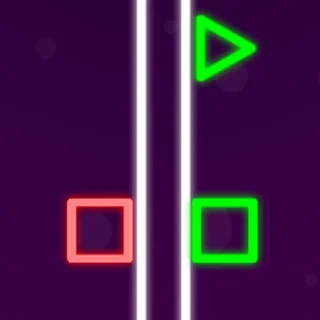
This is Boxel Rebound unblocked: the game is loaded above from boxelrebound.org itself, so it plays in an ordinary browser tab on a school Chromebook, laptop or phone — free, with no download, no extension and no account.
Boxel Rebound: a cube, one button and 50 levels that each teach one trick
Boxel Rebound drops you into level 1 with a single line of advice: “Touch anywhere on the screen to jump. I guess you probably figured that out by now…” That is the whole tutorial. The cube runs forward by itself, the level scrolls with it, and the only thing you control is when it leaves the ground.
The game was made by Doppler (Jacob DeBenedetto) with Kargoh, first as a Chrome extension. It is small — a few megabytes of JavaScript and 50 text files, one per level — and it plays the same on a school Chromebook as on a phone. The copy on this page is served from boxelrebound.org itself, without the cheat menu the old site’s version had bolted on.
The 50 levels are split into five worlds of ten: a pink city, a night city, a deep-water world, a fiery yellow-and-orange one and a lime jungle. Each early level adds one idea. Level 2 brings spikes that point in every direction, level 3 bouncy blocks, level 4 shrink and grow tiles, and level 7 the checkpoint block. After that the game stops explaining and starts combining. The timer in the corner counts up, and your best time on each level is saved in the browser.
Controls & mechanics
| Action | Control | Purpose |
|---|---|---|
| Jump | Click, tap, Space or Up arrow | The cube only jumps when it has landed; timing is everything |
| Keep jumping | Hold the mouse button or finger down | The cube jumps again the moment it lands — level 11’s tip calls this “spam the jump button” |
| Restart level | R | Back to the start (or the last checkpoint) without opening a menu |
| Pause | Esc, or the ☰ button top left | Freezes the timer; Space resumes |
| Quit to menu | E | Returns to the level grid |
| Level editor | Pencil button on the menu; A/D or arrows to scroll, Delete, Ctrl+Z / Ctrl+Shift+Z | Draw your own level, test it and save up to three |
How to get further in Boxel Rebound
- Jump after you fall: Level 5’s tip gives it away: running off an edge does not use up your jump. You can still jump on the way down, and level 19 adds that a falling jump carries you over six tiles.
- Small means high: “The smaller you are, the higher you jump!” (level 4). Shrink tiles make the cube tiny and its jump taller; grow tiles undo it. Plan which one you touch before a tall wall.
- Bounce blocks jump for you: Landing on a bounce block throws the cube much higher than a normal jump. Level 8’s warning — “Don’t fall in the bounce pit” — is about a row of them you cannot jump out of cleanly.
- Use checkpoints: From level 7 the checkpoint block saves your restart point. Dying after one sends you back there, not to the start.
- Save your jump: Level 9’s advice: do not jump just because you can. An early jump means you are in the air when the next spike arrives.
- Hold down on the hard ones: On long spike rows, holding the button so the cube jumps the instant it lands is often steadier than tapping.
Key features
- 50 levels, 5 worlds: Ten levels each in a pink city, a night city, a water world, a fire world and a jungle, each with its own colours and backdrop.
- One button: Click, tap, Space or Up. The cube runs by itself; you only decide when it jumps.
- Best times saved: The timer counts up and the menu shows your total; beat your record on a level and it says “New Record!”.
- Blocks with rules: Spikes in four directions, bounce blocks, shrink and grow tiles, speed and gravity arrows, and checkpoints.
- Level editor: Draw your own map with every tile in the game, including reverse-gravity and slow blocks the main levels never use.
- Tiny and fast: A few megabytes of HTML5, no plugin, runs on a Chromebook, a laptop or a phone in portrait.
Game info
- Title: Boxel Rebound
- Developer: Doppler
- Category: Platformers
- Platform: Web browser (HTML5)
- Credits: Boxel Rebound by Doppler (Jacob DeBenedetto) and Kargoh · HTML5 / CreateJS · 50 levels + editor · served from boxelrebound.org
Pro tip: Most deaths come from jumping too early. Wait until the spike is almost under you, then jump — and remember that rolling off a ledge does not spend your jump: you can still use it on the way down.